Quotes and proposals
Save the sentence that says when a client or supplier will reply.
 FollowCue
A reminder with the original context attached
Keep the quote, page title, source link, reminder time, and your note together. When it is time to follow up, one click takes you back to the exact page.
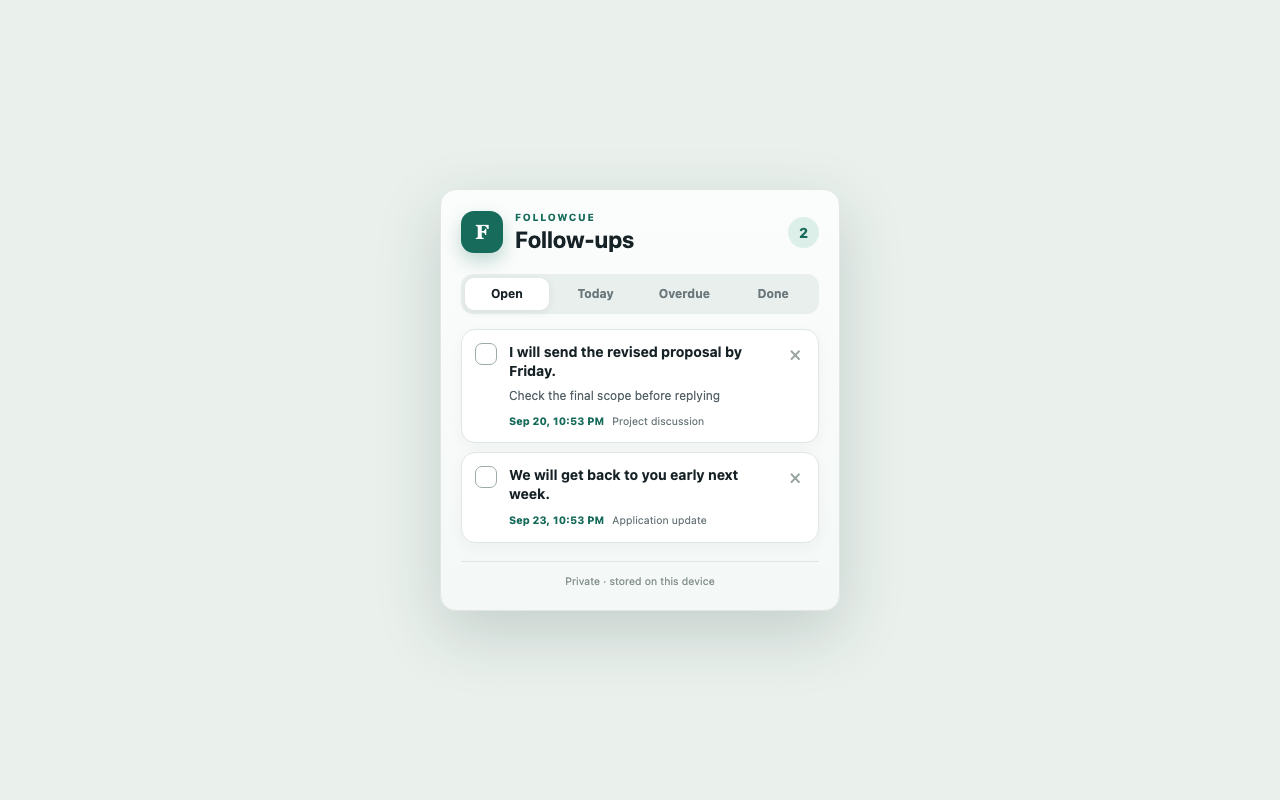
Made for browser-based work
Save the sentence that says when a client or supplier will reply.
Keep recruiter timelines and application pages attached to the reminder.
Return to the exact page when an approval, payment, or renewal is due.
Capture the wording that matters instead of creating a vague task later.
Three small steps
Private by design
FollowCue stores reminders locally in your Chrome profile. It captures text only after you select it and choose Save to FollowCue.
There is no account, analytics service, advertising, or remote server. FollowCue does not read pages in the background or send messages automatically.
Read the full privacy policy →Questions
No. Selected text, notes, page titles, URLs, and reminder times stay in your local Chrome profile.
Yes. FollowCue has no login, subscription, or account setup.
The interface supports English and Simplified Chinese. Date suggestions recognize common phrases such as “tomorrow,” “next week,” “明天,” and “下周.”
Visit the support page for setup steps, troubleshooting, and contact information.
Free Chrome extension